Robot Fleet Management: How AGV and AMR Fleets Are Scheduled and Controlled
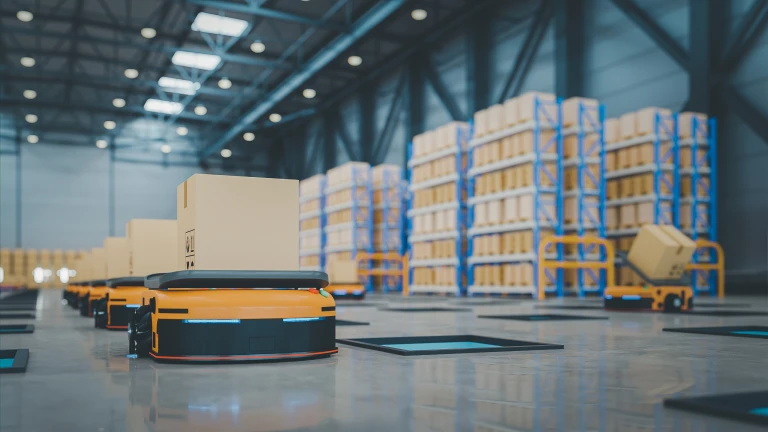
One mobile robot is simple to run. A fleet of them — different models, different jobs, sometimes different makers — is not. Without a coordinating layer, robots block each other, queue at the same lane, and sit idle while work waits elsewhere. Robot fleet management software is that layer: it assigns tasks, plans routes, manages traffic, and keeps a mixed fleet moving as one operation. Here is how it works, how AGVs and AMRs differ, and what to look for.
What Is Robot Fleet Management Software?
Robot fleet management software, sometimes called a fleet manager or fleet management system, is the control layer that coordinates a group of mobile robots in a warehouse or plant. It takes transport and storage orders, decides which robot does each one, plans conflict-free routes, and tracks every robot in real time. The more advanced systems also handle navigation and positioning directly and connect to the wider warehouse software, so the fleet runs in step with inventory and production rather than as an island.
AGV vs AMR — and Why a Fleet Manager Handles Both
AGVs and AMRs both move material automatically, but they navigate differently. Most facilities end up running both, which is exactly why a fleet manager that coordinates them together matters.
| | AGV | AMR |
|---|
| Navigation | Fixed paths (wires, magnets, tracks) | Autonomous, map-based, dynamic |
| Obstacles | Stops and waits | Reroutes around them |
| Setup | Infrastructure changes needed | Software map, minimal infrastructure |
| Best fit | Heavy, repetitive, fixed routes | Dynamic, people-rich, changing flows |
How the Scheduler Coordinates a Fleet
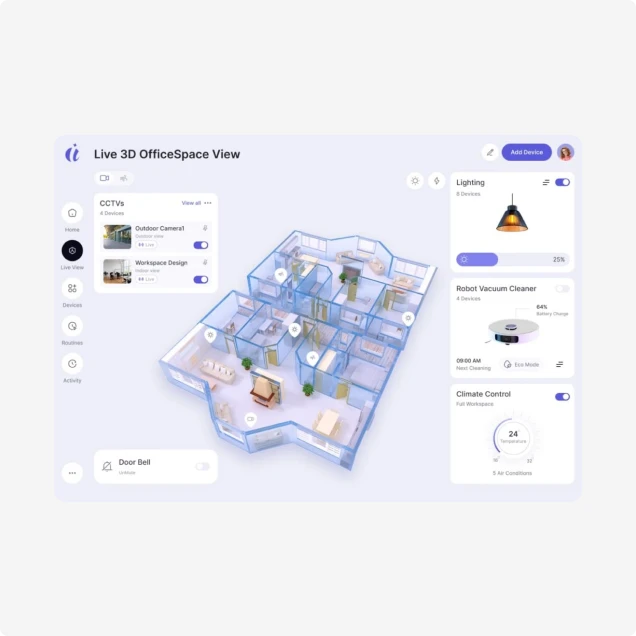
The scheduler holds a live model of every robot, task, and route. When an order arrives, it picks the best robot by location, charge, and load, then plans a route that avoids conflicts with other robots. As the fleet moves, it manages traffic at intersections and narrow lanes, recalculating paths in real time when a route blocks. Idle robots are sent to the next job automatically, and load is balanced so no single robot or zone becomes a bottleneck.
The Multi-Vendor Challenge and VDA5050
As operations grow, they add robots from more than one maker, and each often comes with its own controller that does not talk to the others. The industry answer is standard communication — most notably VDA5050, an open protocol that lets AMRs and AGVs from different vendors work under one fleet manager. A system built on modular, open interfaces and standard protocols can bring mixed robots into one coordinated fleet instead of running separate islands, which protects the investment as the fleet changes.
Where the Fleet Manager Fits: ERP, WMS, WCS, MES
A robot fleet manager is one layer in a larger stack. Above it, an ERP plans, a warehouse control system manages inventory and orders, and an MES runs production. The fleet manager takes transport orders from those systems and turns them into coordinated robot moves, then reports status back. It also connects to floor devices — conveyors, lifts, safety light curtains, and doors — so robots hand off cleanly to fixed automation like the four-way shuttle and crane systems.
Navigation, Positioning, and Path Planning
For AMRs, navigation is the core of the system. The fleet manager works with onboard sensors to position each robot precisely and plan a path to its destination, then adjusts that path as the environment changes. Good path planning is what separates a fleet that flows from one that jams — it keeps robots clear of each other, routes around temporary obstacles, and uses the available space efficiently, which is what holds throughput up as the fleet scales.
What to Look for in a Fleet Manager
When comparing systems, weigh these points:
- Whether it coordinates mixed, multi-vendor robots through standard protocols
- The quality of traffic management and conflict-free path planning
- Standard interfaces to ERP, WMS, WCS, and MES
- Real-time visibility and the ability to intervene in scheduling
- Simulation to validate changes before they go live
- Reliability features: fast deployment, disaster recovery, and full data playback
Reliability: Simulation, Deployment, and Playback
A fleet manager runs the floor, so it has to stay up and be diagnosable. Cloud-based parallel simulation lets you test layout and scheduling changes against real conditions before applying them, reducing surprises at go-live. Container-based deployment with disaster recovery means the system can be restored quickly if something fails. And time-series logging with panoramic playback lets the team replay exactly what every robot did, so issues are found and fixed fast rather than guessed at.